Tessellation in Preview3D is sharper again
Preview3D 1.4.2 is out for Mac, iPad and iPhone.

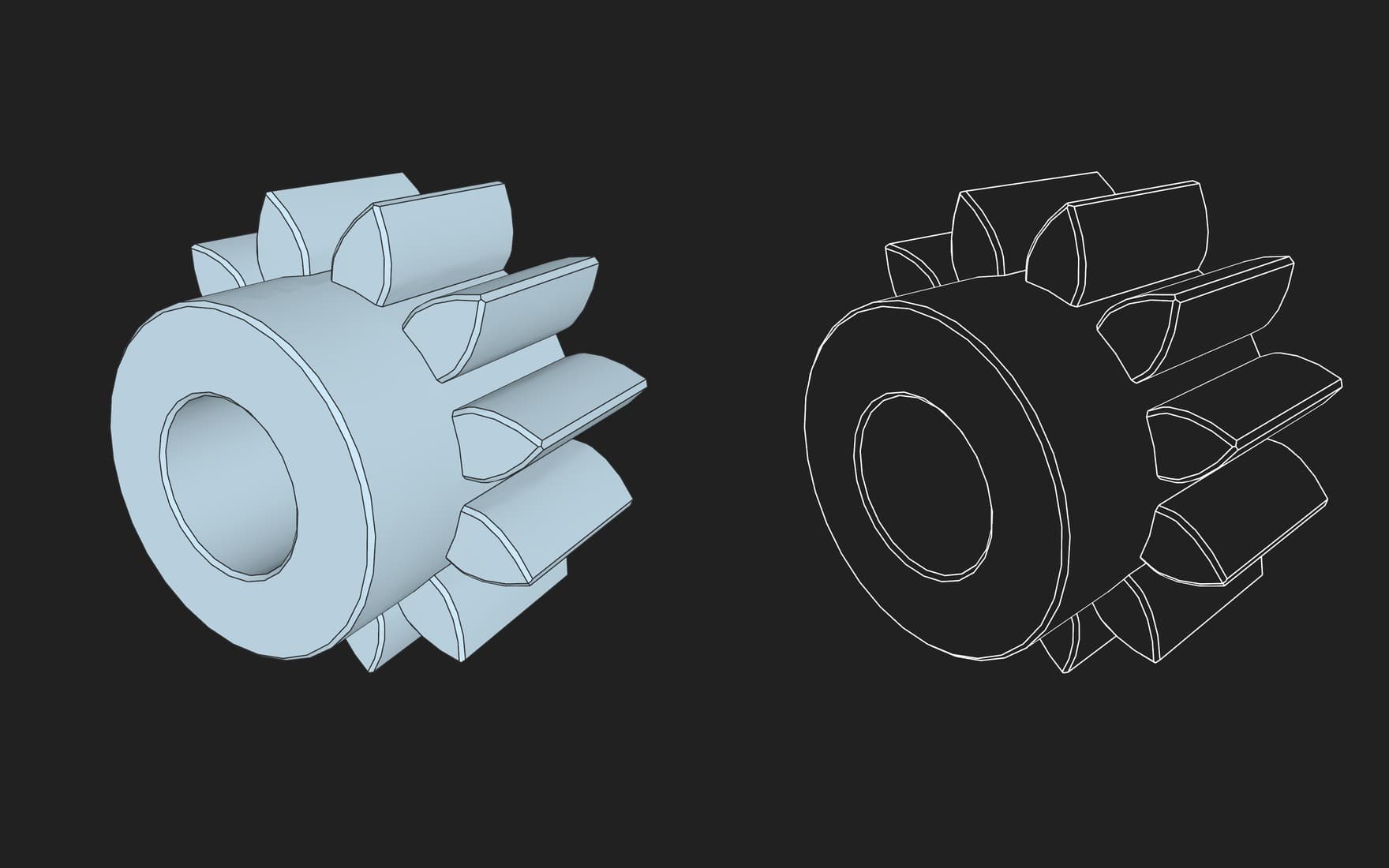
Older versions of Preview3D, the ones built on StepKit 0.16.0, did not draw small STEP models well. The bore of a 6 mm gear, which should have been a circle, came out of the tessellation as a polygon.
Scale was to blame. A file in metres holding a part measured in millimetres was not divided finely enough for the physical size of the part.
Small parts are not faceted any more
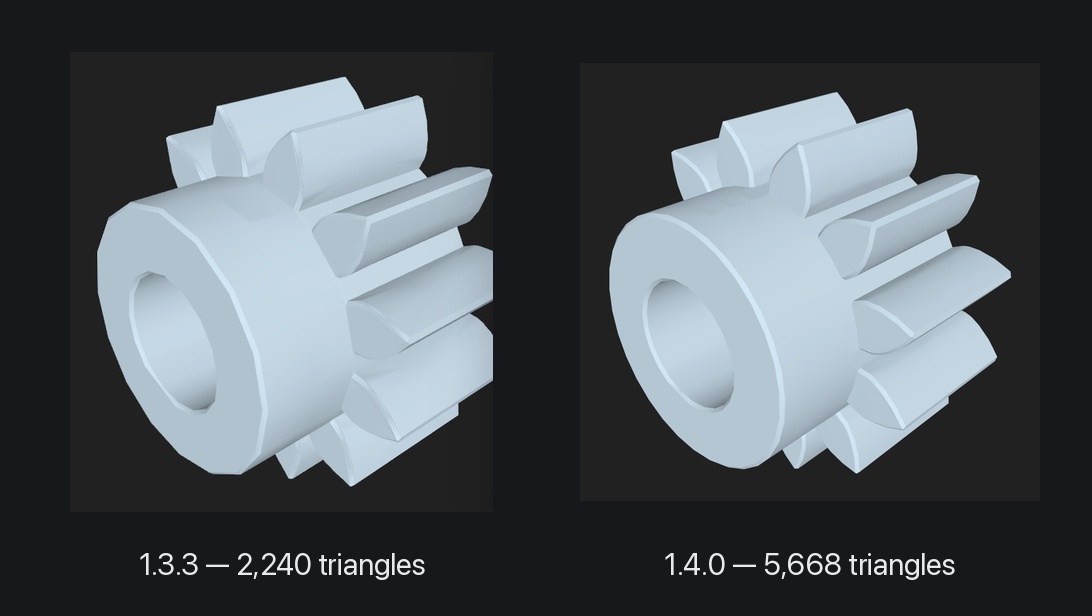
Since 1.4.0, Preview3D is built on StepKit 0.25.1, which works this out from the diagonal of the part itself. The same gear has 5,668 triangles instead of 2,240, and the bore is round. Large parts are not affected and stay as they were – apart from the other fixes that make turning STEP models into a mesh better in general.
Three ways to look at a model
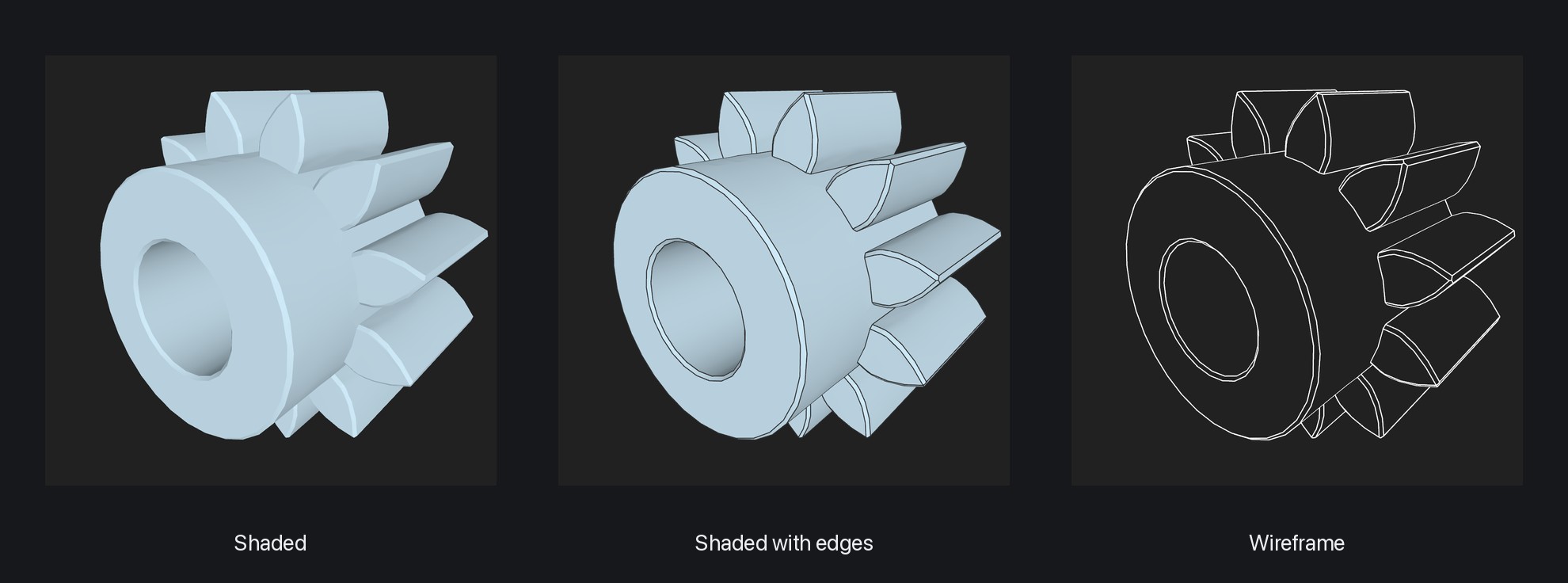
A model can now be shown three ways. The bar at the top switches between shaded, shaded with edges and wireframe.
In a STEP file those edges are the real ones, drawn by the CAD system. A mesh gets its crease lines instead, so even an STL still reads as a shape. Wireframe also keeps the model opaque, so the far edges do not show through.
1.4.2 fixes a bug that made an STL opened straight into wireframe draw every one of its triangles.
Send me a model that looks wrong
The Preview3D website now has a form for sending a model that the app draws wrong or cannot open. Attach the file or a link to it, and say in a few words what you see. Your email is optional – it is only there so I can let you know when the bug is fixed.
I use the model only to find and fix the bug in Preview3D and the StepKit kernel. I do not publish it, I do not pass it on, and I delete it once the bug is fixed, within a year at the latest.
How to get it
The app updates itself, or by hand from the App Store → Updates. Mac, iPad and iPhone have had 1.4.2 since 7 October. It follows 1.4.0 from 27 September and, on the Mac, 1.4.1 from 29 September, which fixed a small bug in the G-code view. Apple Vision Pro got the same tessellation fixes in its own 1.4.1 on 3 October; the three display modes are not there yet.
The full list of changes is at preview3d.xfanta.com/changelog.
Preview3D is a native viewer for 3D models and G-code on Mac, iPad, iPhone and Apple Vision Pro. STEP, STL, OBJ, PLY, glTF/GLB, 3MF, USDZ, G-code and more – Finder previews, export between formats, PMI and GD&T for AP242. $9.99 once, one purchase for every device, no account and no network connection.
👉 Preview3D on the App Store · preview3d.xfanta.com
Requires macOS 14, iOS/iPadOS 17 or visionOS 2.
If you have a STEP file that comes out coarse or reports itself as not watertight, send it to me through the form or to apps@xfanta.com. Files like that are exactly what moves the StepKit kernel forward. The fixes above came out of particular models.

Comments
No comments yet. Be the first.