Painter3D: paint multi-colour models for PrusaSlicer on an iPad with Apple Pencil
Paint a 3D model with the pencil or the mouse, or import one with a texture. You get a 3MF that PrusaSlicer opens with every colour on its tool.

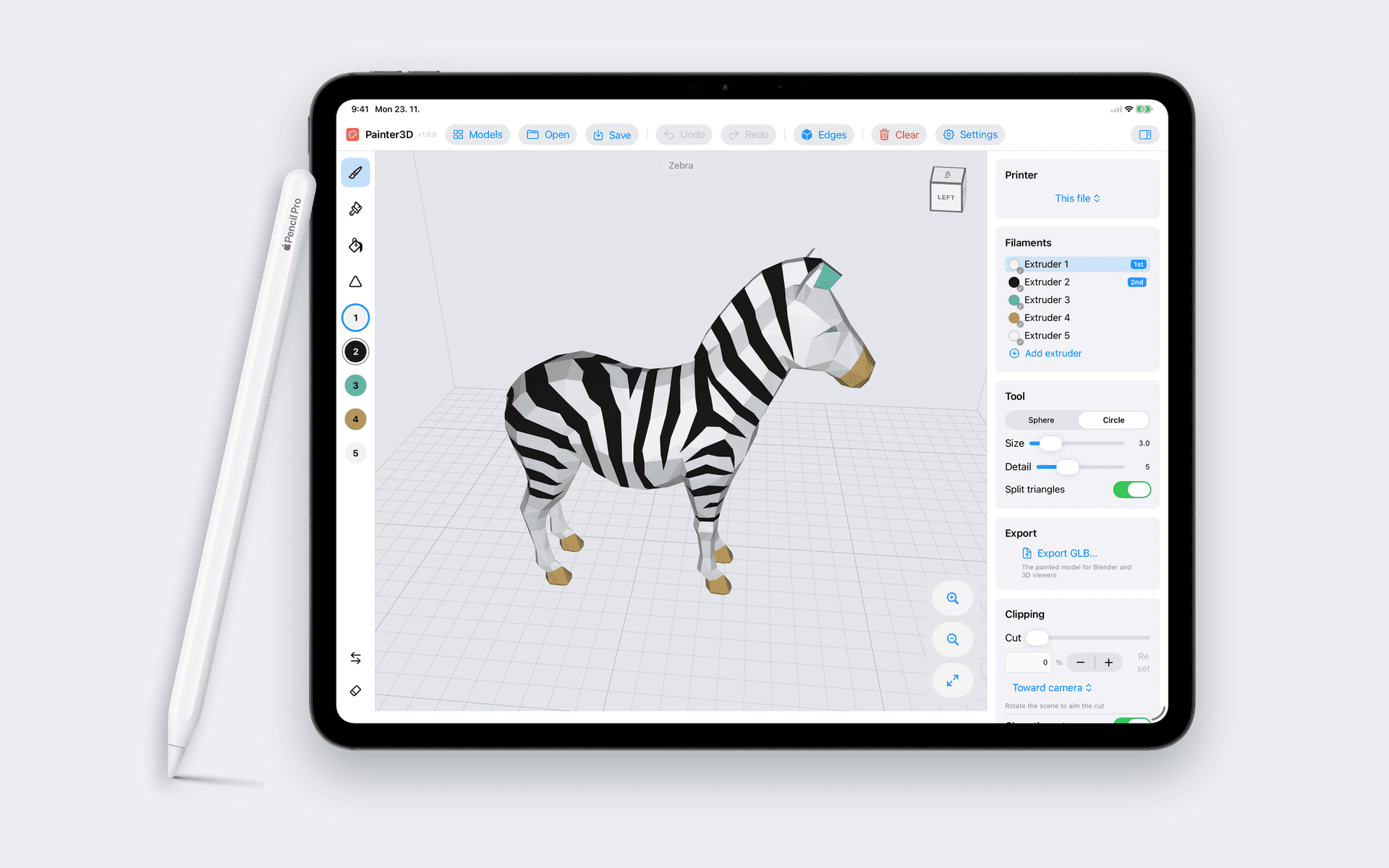
I never used to paint 3D models. When I wanted a multi-colour print, I built the model from several parts and gave each one its own colour. Then I decided to make a collection of animals, the Low Poly ZOO, where every animal has at least three colours. The models are low poly, and I couldn't get around painting any more.
PrusaSlicer has everything you need for painting, but two things were missing for me. One was switching between the current and the previous brush with the X key, the way you do it in Photoshop. The other was painting on an iPad, and above all with an Apple Pencil.
Painter3D is painting with a few extras.
The pencil on the iPad
On the iPad, Apple Pencil is the best way to paint. The harder you press, the bigger the brush.
The fingers of your other hand run the camera: one finger turns the model, two pan, and a pinch zooms. The pencil and the fingers don't get in each other's way, and you don't have to switch tools. No pencil? Turn on "Paint with finger" in Settings and paint with a finger.
The brush behaves the way you know it from PrusaSlicer. You can paint single polygons (that is what I did on my low-poly animals), or use the brush the classic way: the polygons of the model are split into a finer mesh as needed, depending on the paint detail you set. Besides the brush there is fill by angle and fill of a whole area.
Every stroke is one undo step. And if you turn on autosave in the iPad's Settings, Painter3D overwrites the open 3MF a few seconds after a change, so you don't lose work when the iPad goes dark.
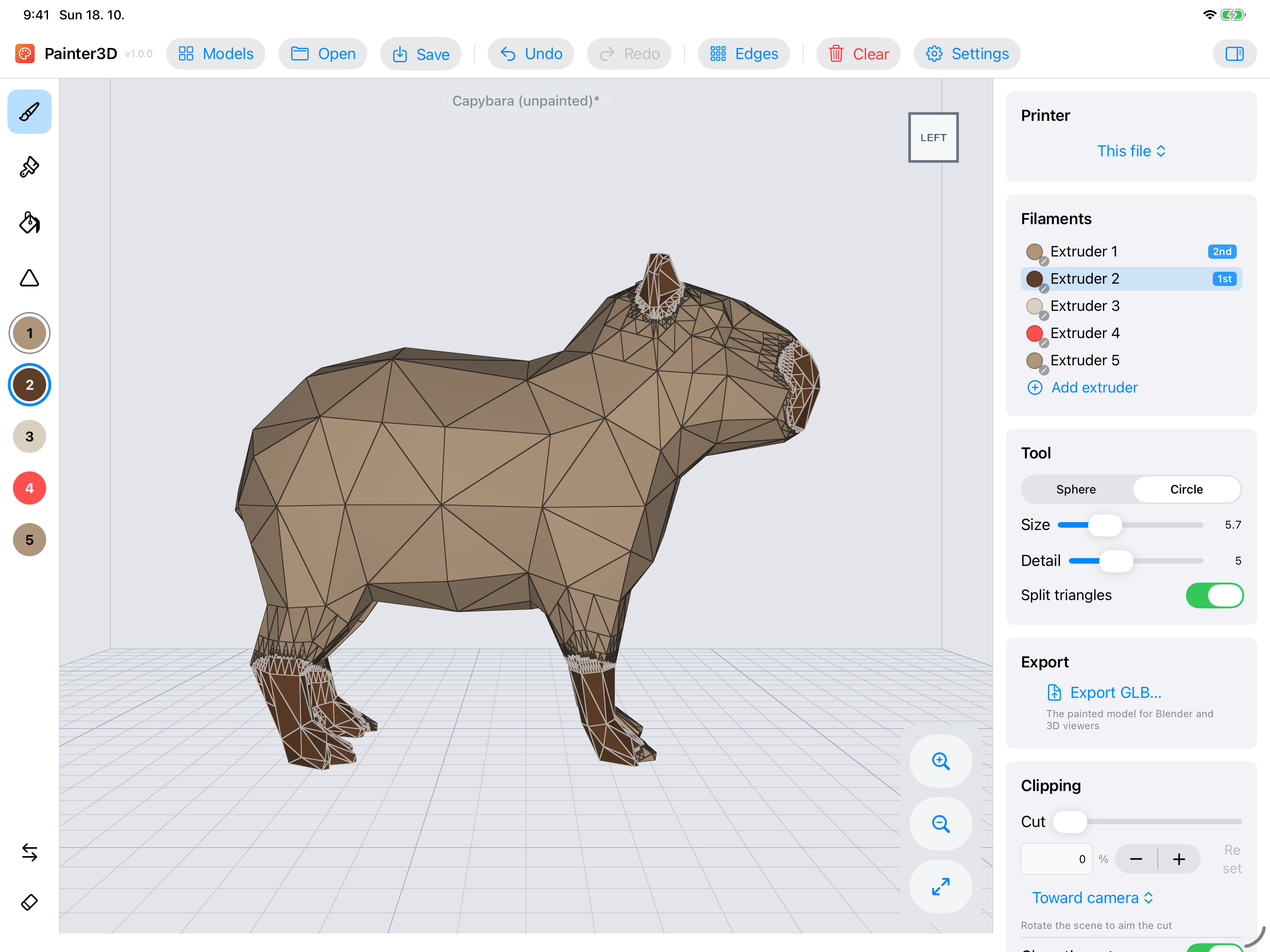
The Edges button switches what you see on the model: the edges of the original model's triangles, or how finely you have already split it by painting. It helps to check that the edge of a colour really runs where you wanted it.
On the Mac it works without a pencil
Painter3D is on the Mac too, and there you don't need a pencil.
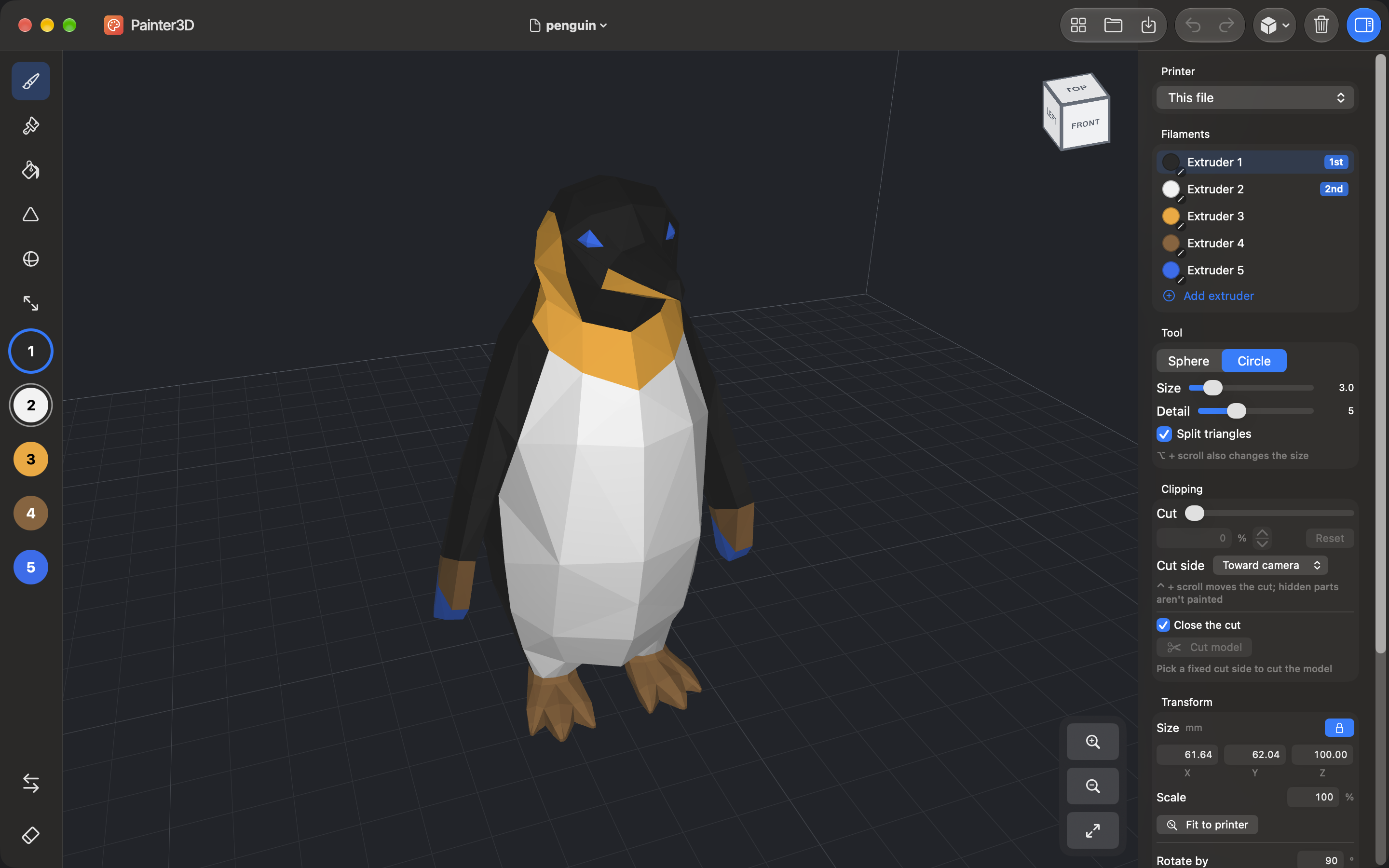
- the left button paints, with Shift it erases and with Option it paints with the second colour
- the right button turns the camera, the middle one pans it, and the wheel or a trackpad gesture zooms
- Option + wheel changes the size of the brush
The tools have keys: B brush, F fill by angle, G fill of a whole area, T single triangles, E eraser and X swaps the first and the second colour, exactly the way I wanted it from Photoshop.
If you are used to another application, switch the mouse layout to PrusaSlicer, Blender, Fusion 360 or Onshape, or set your own.
The Mac has a few things the iPad doesn't. You can turn and scale the model right in the scene with handles (keys R and S), or type a size in millimetres, fit it to the printer, mirror it, put it on a chosen face or on the bed. The outline of the chosen printer's bed is drawn around the model and turns red when the model doesn't fit.
A textured model: from texture to filaments
The second reason Painter3D exists: a model that already has colours the slicer knows nothing about. It reads glTF/GLB with a texture or vertex colours, OBJ with a texture and PLY with vertex colours. The colours are clustered into as many filaments as the chosen printer has tools, and the model arrives already painted.
One detail is worth mentioning. A texture is often finer than the mesh. Where one triangle carries several colours, Painter3D splits it the way the brush does, so a spot smaller than a triangle doesn't vanish.
To Blender and back
The finished painting can be exported as GLB, either with one material per filament ("Extruder 1", "Extruder 2"…) or as vertex colours. Blender reads it and you can edit the model. When you open it in Painter3D again, the app recognises its own materials and reads the filaments from them directly, instead of guessing the colours again. The palette doesn't get shuffled, and no colour gets merged on the way there and back.
A file PrusaSlicer opens with its colours
Painter3D saves a 3MF in PrusaSlicer's own format: the painting is stored just as it is after painting in the slicer itself. The printer profile and the filaments go into the file too, so PrusaSlicer offers the right printer and the right colour on every tool. Painter3D knows the Original Prusa XL with five tools, the MK4S and CORE One with MMU3, and the CORE One INDX with four or eight tools. Or it reads the printer configuration straight from a 3MF.
More important is what doesn't get lost. Open a 3MF from PrusaSlicer, paint the model, save, and nothing is lost. The placement on the bed, the filament preset of each tool, the wipe tower and the other settings all stay. You don't set them up again after every round.
It works the other way round as well. When you save the file in PrusaSlicer while it is open in Painter3D, the Mac app notices, says which program saved it and offers to load the newer version. macOS keeps versions of the file, and File ▸ Browse Versions… brings any of them back.
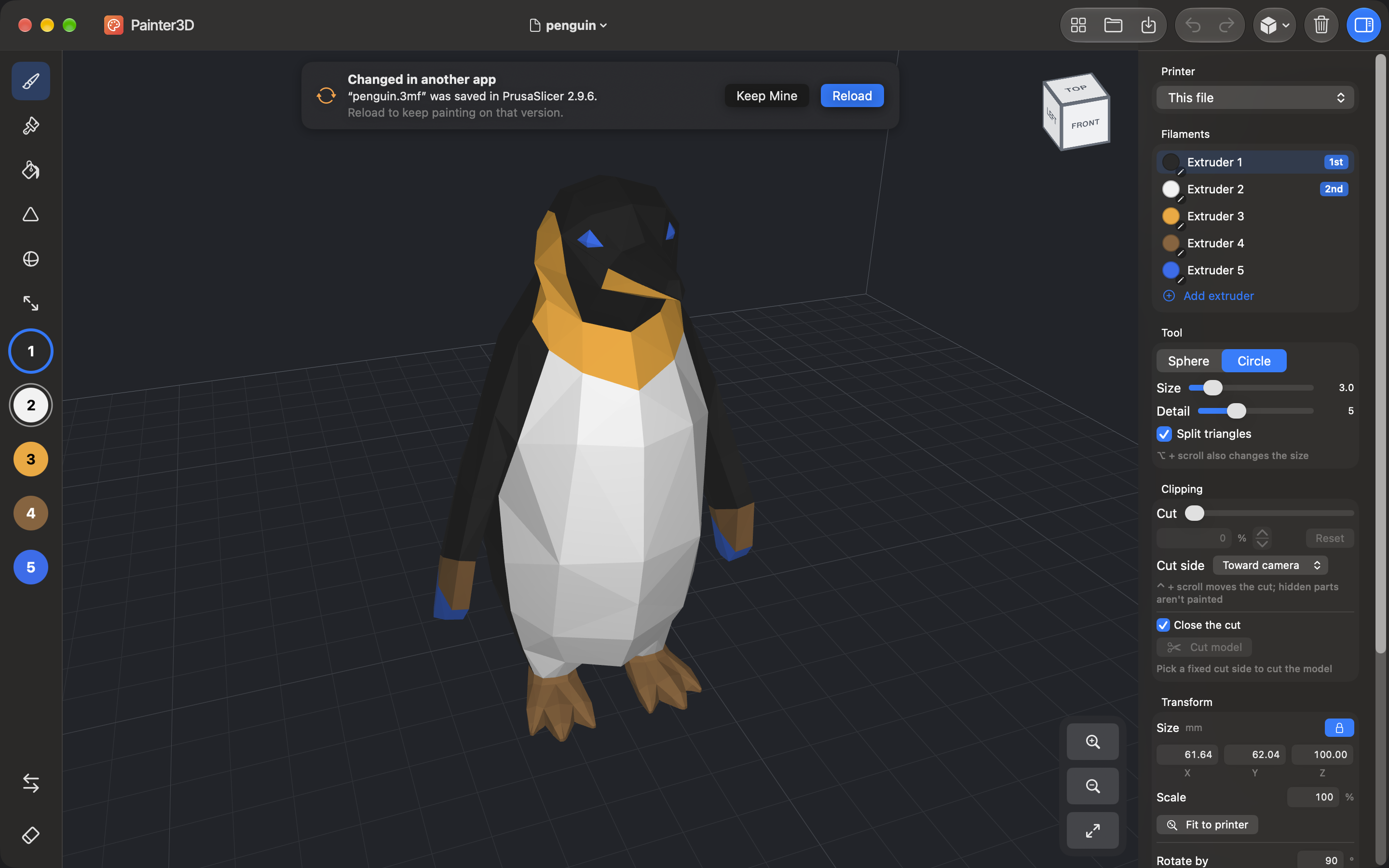
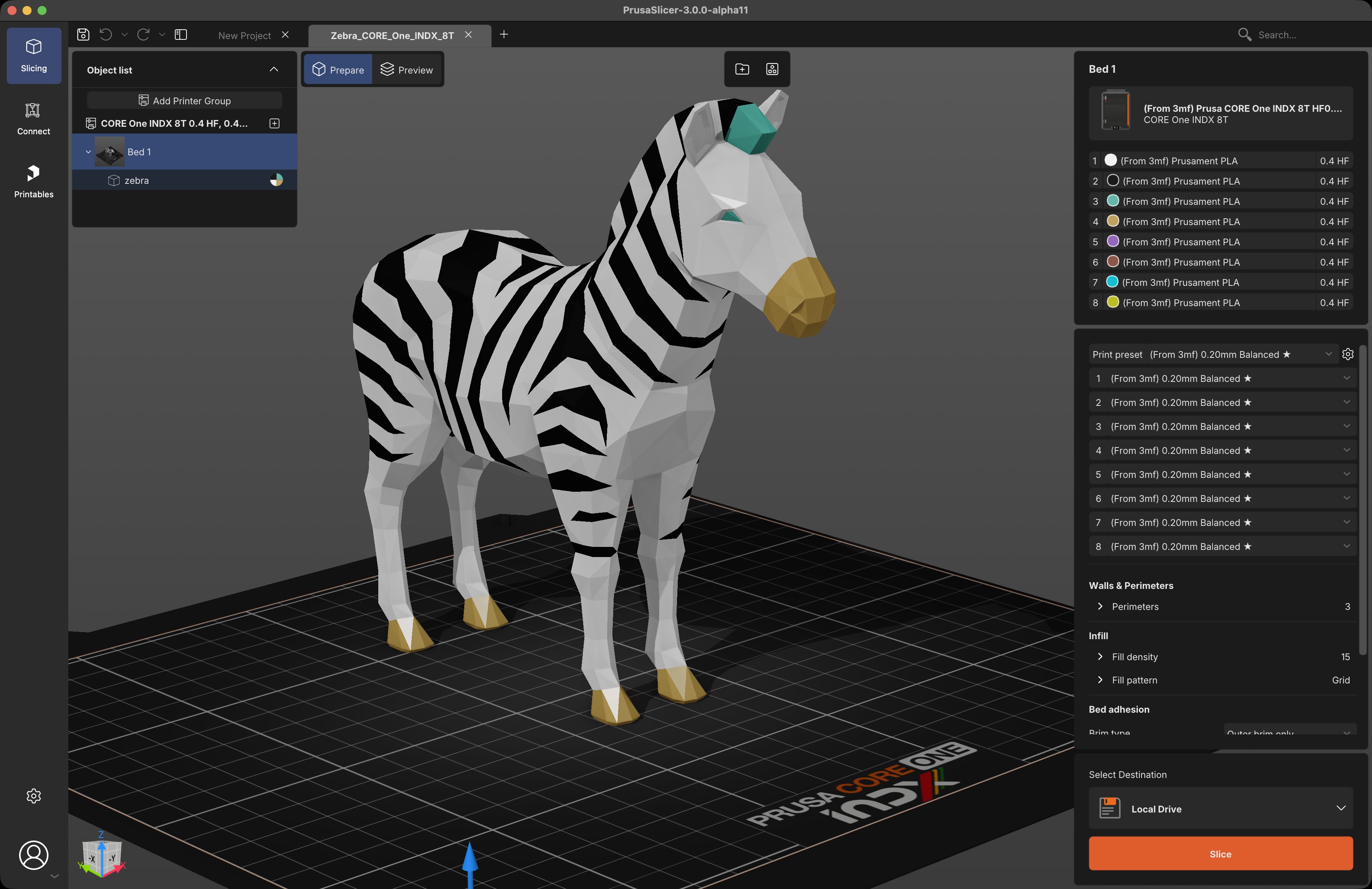
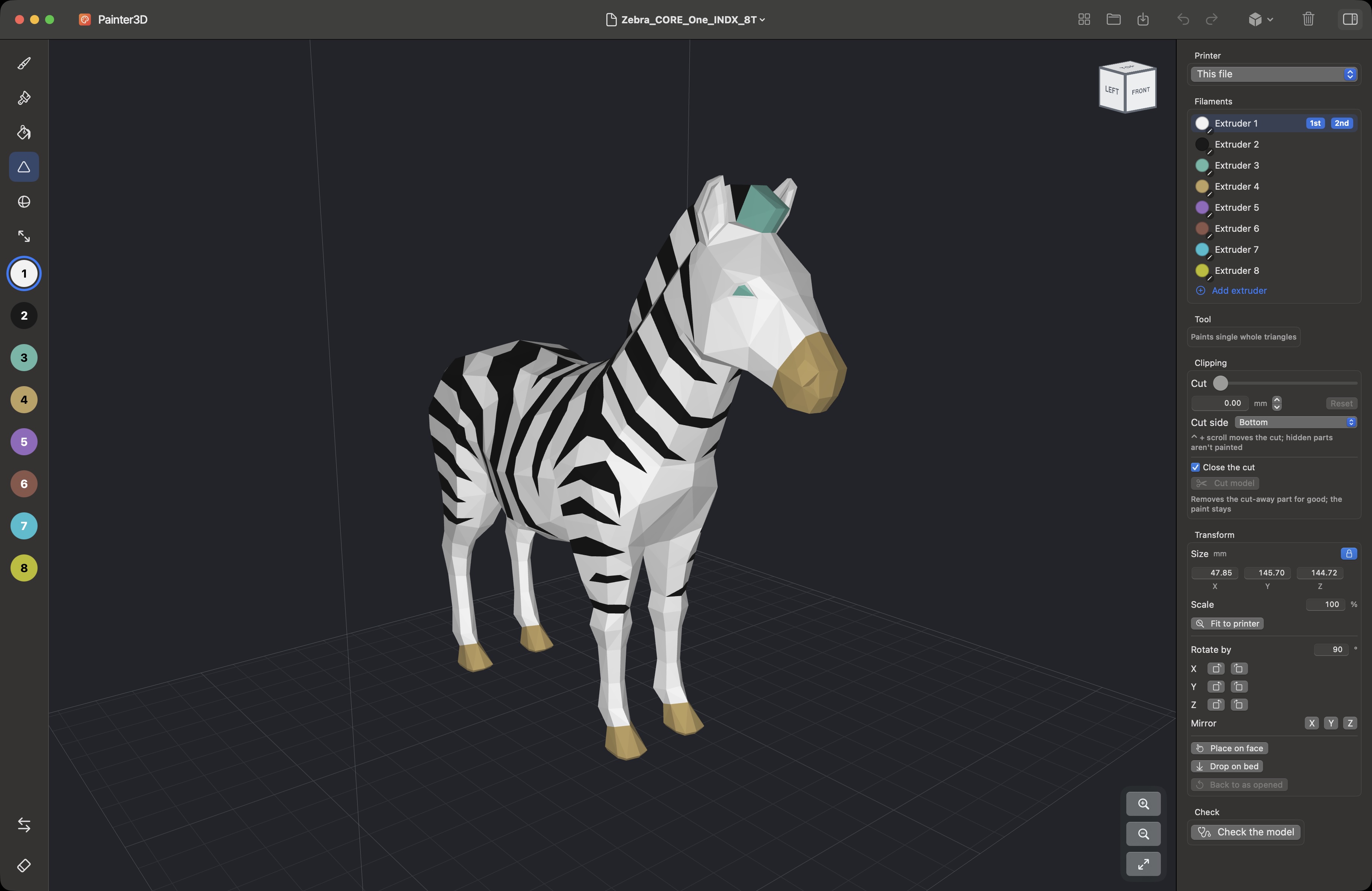
It doesn't matter which one you start with. Set up the print in PrusaSlicer and paint afterwards, or paint first and slice later. The zebra below is the same file in both programs.
Next version: Color Mix
The next version adds support for Color Mix. The printer alternates two filaments layer by layer in a set ratio, and the print shows a colour somewhere between them. PrusaSlicer uses virtual extruders for it, and five filaments turn into many more colours.
Painter3D will read virtual extruders, save them back into the 3MF and paint with them.
The biggest change will be in the import of a textured model. Instead of being painted automatically straight away, by the number of extruders, a Convert Colors sheet opens where you set up the conversion.
What to watch out for
- Texture colours are reduced to the number of tools on your printer. A very detailed photographic texture won't survive five filaments.
- STL and STEP open too, but they have no colour, so you start painting from scratch.
- The notice that the file changed and the file versions are Mac only.
Painter3D
A native app for iPad and Mac. It opens 3MF, STL, STEP, OBJ, PLY, glTF and GLB, checks and repairs the mesh, and exports GLB for Blender and reads it back. It comes in nine languages. Six finished animals from the Low Poly ZOO sit in the gallery, so you can try it right away.
$4.99 once, no subscription, no account. Nothing leaves your device.
👉 Painter3D on the App Store · painter3d.app
Requires macOS 14 or iPadOS 17.
If you try it, tell me what model you put in and what colours it opened with in PrusaSlicer. I most want to hear where the texture conversion didn't go the way you expected: apps@xfanta.com.

Comments
No comments yet. Be the first.