A Raspberry Pi card in the Finder: how Extent came to be
Extent mounts a Linux disk on the Mac like any other disk. Reading is free, and writing goes through the journal, just as on Linux.

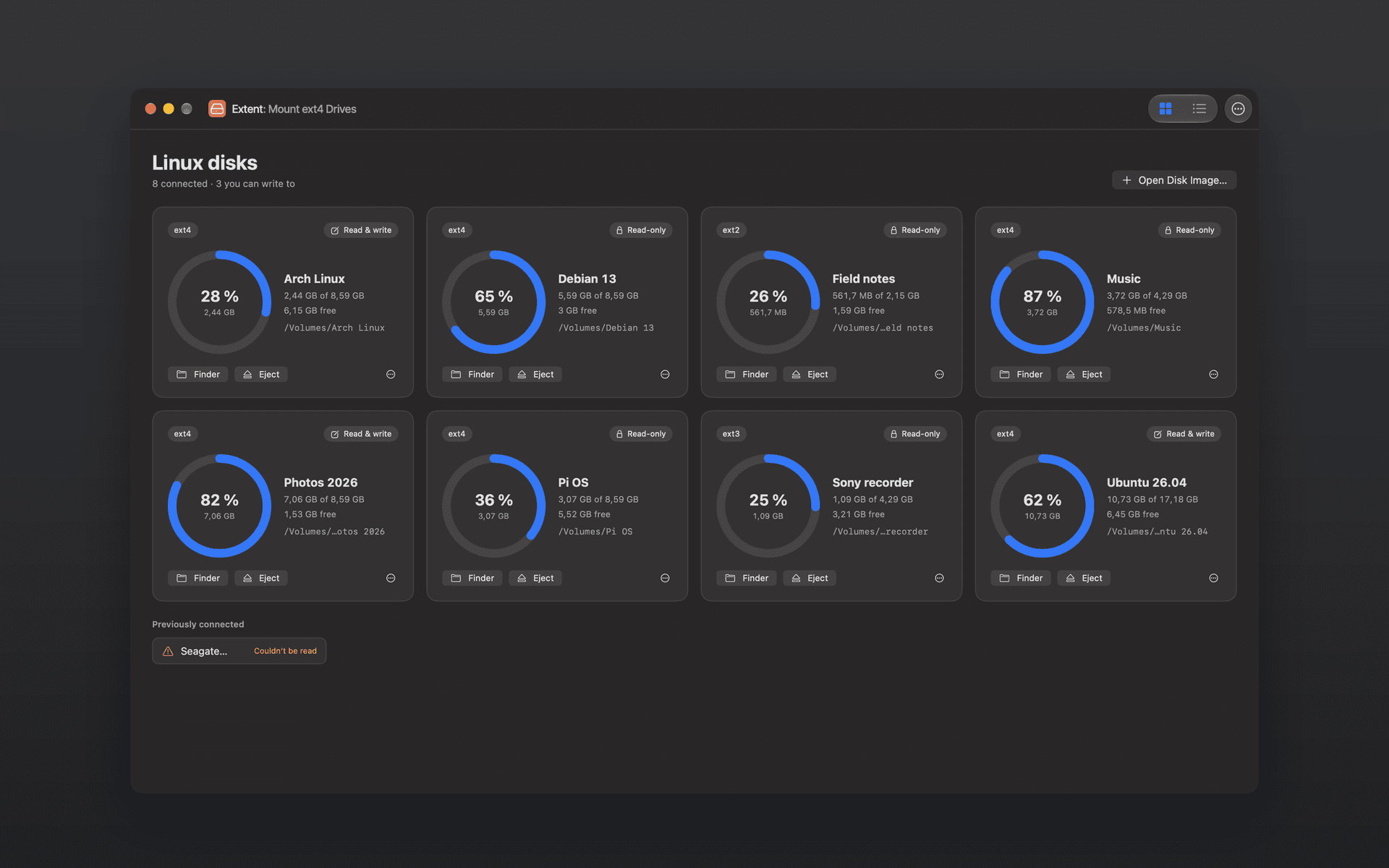
I wanted to read the SD card from my Raspberry Pi. I put it in my Mac, and the Mac told me: "The disk you attached was not readable by this computer." The small boot partition mounted. The big one, with the system and my files, didn't. A Mac simply can't read ext4.
That's how Extent started. It mounts a Linux disk – a card from a Pi, a USB drive from a Linux machine, a disk image – in the Finder like any other disk. Reading is free; writing to ext4 is a one-time purchase.
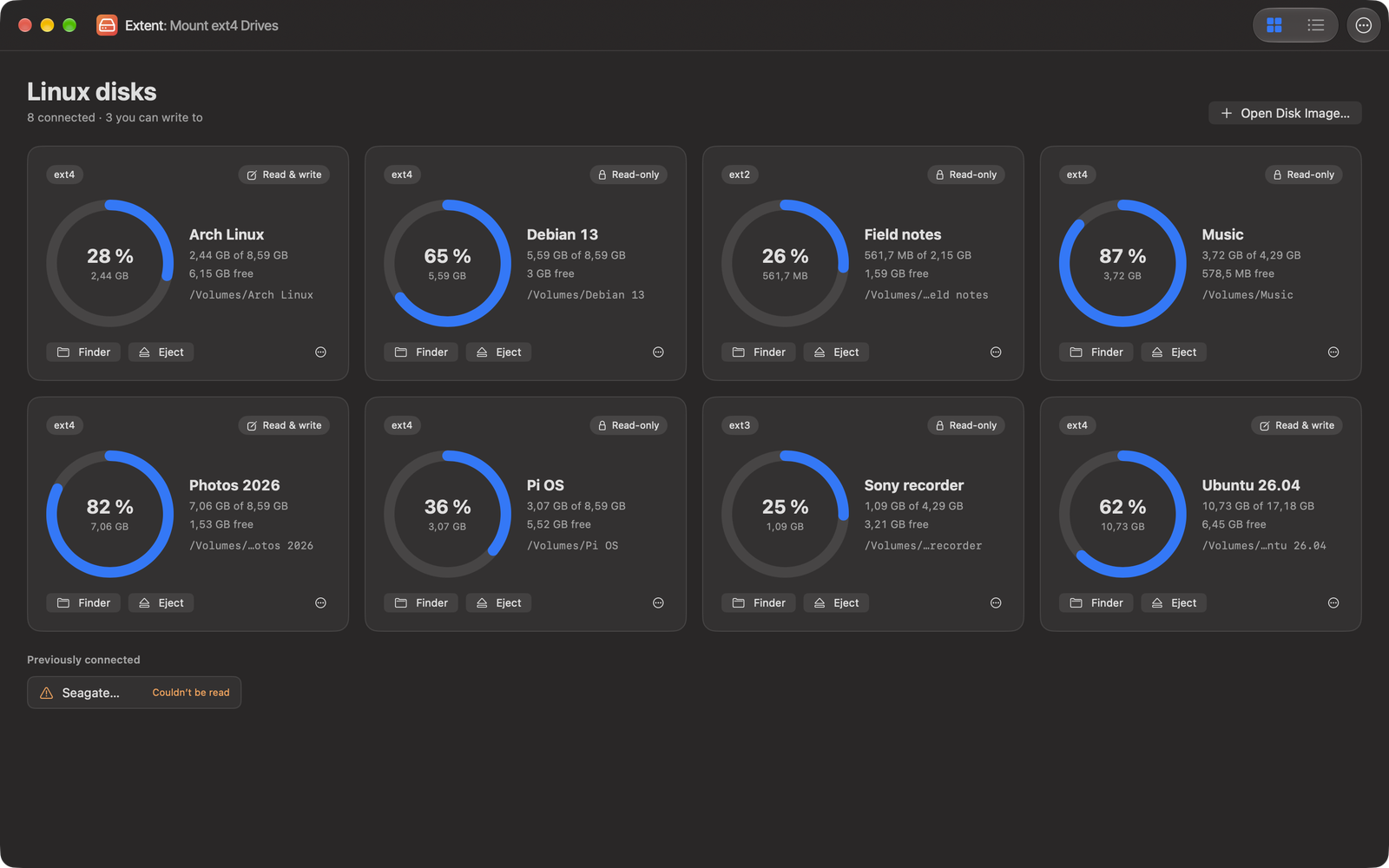
The connected disks at a glance
macOS 27 lets file systems run outside the kernel
File systems that didn't come from Apple used to live in kernel extensions, and Apple keeps tightening those. macOS now has FSKit, a framework for file systems that run as an ordinary program, outside the kernel. Extent is built on it. That's why it needs macOS 27: it uses an interface that only arrived with this version. It also runs only on Macs with Apple silicon.
There's one thing no app can do for you, though. You turn a file system extension on yourself, once, in System Settings › General › Login Items & Extensions › File System Extensions. Extent has a button that takes you there. After that, disks mount on their own as soon as you plug them in.
The interesting part is where the data goes. Extent only tells macOS where a file lives on the disk – "blocks 8200 to 8450", say. The kernel then reads and writes the file's contents directly. They never pass through the extension.
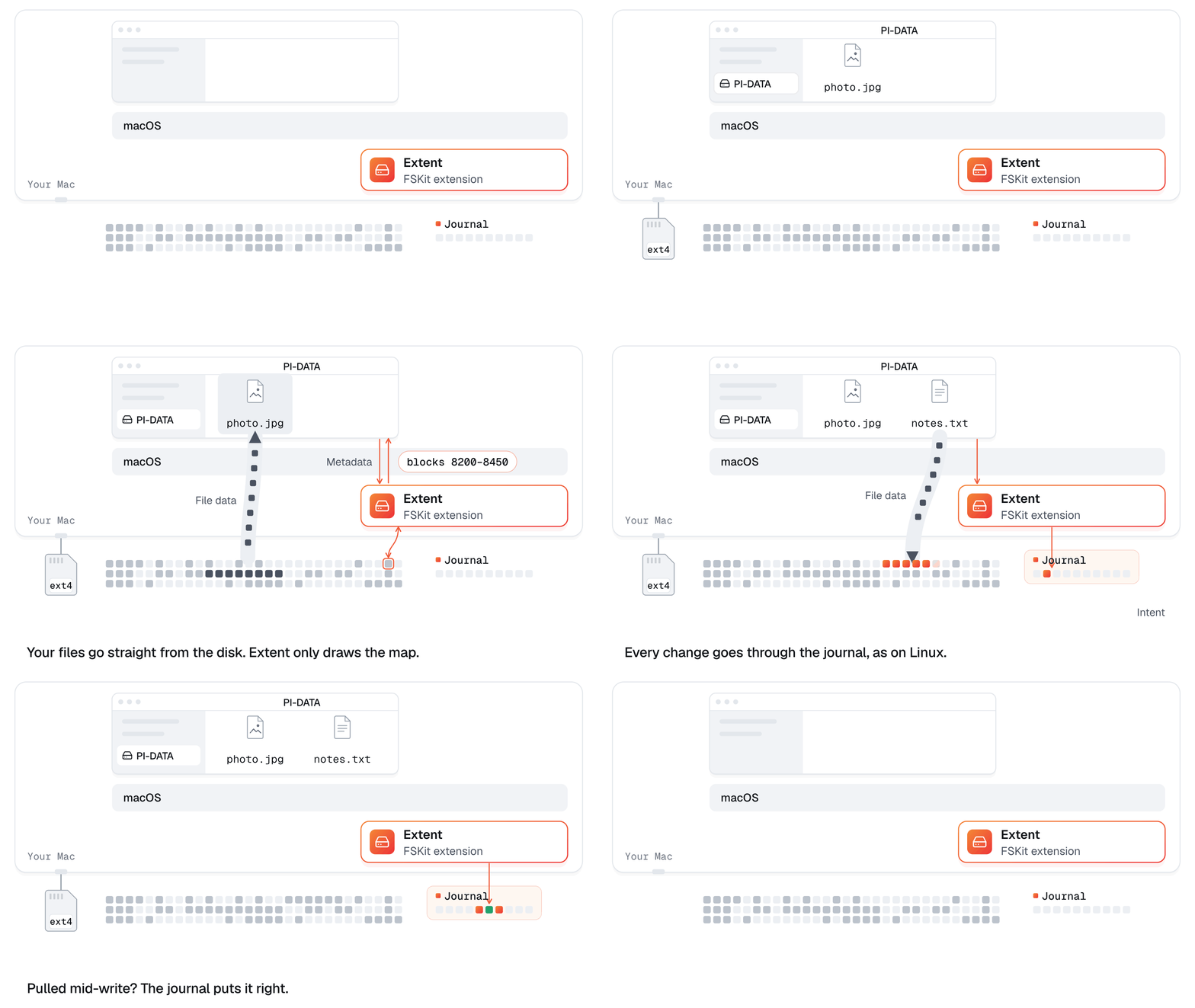
How the data itself flows
Reading is the easy part – writing is what it all hangs on
Reading ext4 is mostly a lot of work: the superblock, block groups, extent trees, indexed directories, checksums. Writing is another league. One mistake, and a disk that worked on Linux for years won't mount when it goes back into the Pi.
ext4 protects itself with a journal: a reserved area of the disk where the intended change is written first. Then comes a commit, and only after that is the change copied to its real place. If the power goes halfway through, Linux replays the committed changes the next time it mounts the disk and throws away the rest. The disk stays consistent.
Extent writes the same way. That's why, for now, it writes only to ext4 with a journal and extents – the way today's distributions format ext4. ext2, ext3 and disks with features it can't write yet mount read-only. And writing stays off until you turn it on for a particular disk.
A card you pulled out of the Pi without shutting it down comes with an unfinished journal. Extent replays it in memory while reading, so you see the files the way Linux will – without writing anything to the card.
How ext4 lays out a disk, what exactly the journal protects and how ext2, ext3 and ext4 differ is covered in detail in the ext4, ext3 and ext2 guide on Extent's website.
Linux is the referee
How do you know writing didn't break anything? It isn't Extent that decides, it's Linux.
I wrote Extent's engine from the documentation of the ext4 format, not from the Linux source code, and Linux always has the last word. What Extent reads has to match what the Linux tools see. What it writes has to pass e2fsck without a single repair, and the real Linux kernel has to read it back byte for byte.
Then there are the crash tests. The automated suite simulates a power cut at every point of a write – about 3,000 disks per run – and checks the disk after each "crash". Over the course of development, more than 200,000 random operations went through it: creating, writing, renaming, deleting, hard links. After every simulated crash, e2fsck again.
The pulled cable
A simulation is one thing, a real cable another. I had Extent write files to a USB stick, each one secured with fsync, and pulled the cable in the middle of it. In 22 seconds it had written 480 files, 142.9 MB in all, and the cable came out during file 481.
When I plugged it back in, Extent replayed the journal. All 480 files were back, byte for byte. The half-written one was missing entirely – nothing half-done, nothing foreign – and e2fsck found no errors.
That's one disk and one attempt, not a guarantee for every USB stick in the world. So the usual rules still apply: eject a disk before you unplug it, and keep a backup.
A Raspberry Pi and a drawer full of USB sticks
For testing, Extent got a Raspberry Pi 4 of its own, running Raspberry Pi OS. On it I prepared five USB sticks, each laid out differently: modern ext4, older ext3, ext4 without 64-bit addressing the way the Raspberry Pi OS image makes it, a disk after a hard power-off with an unfinished journal, and a few more exotic variants.
The sticks travelled from the Pi to the Mac and back until Extent on the Mac saw exactly what Linux saw. In the last round, that was eight volumes on four disks without a single difference. Meanwhile, the automated suite checks disk images made by the Linux kernel itself, including a folder with 100,000 files.
What to watch out for
- Extent needs macOS 27 and a Mac with Apple silicon.
- It handles ext2, ext3 and ext4. It won't mount Btrfs or XFS, nor volumes inside LVM, software RAID or LUKS encryption.
- It writes only to ext4 with a journal and extents. It reads a Steam Deck's SD card but won't write to it: SteamOS formats the card with the casefold feature, which Extent can't write yet.
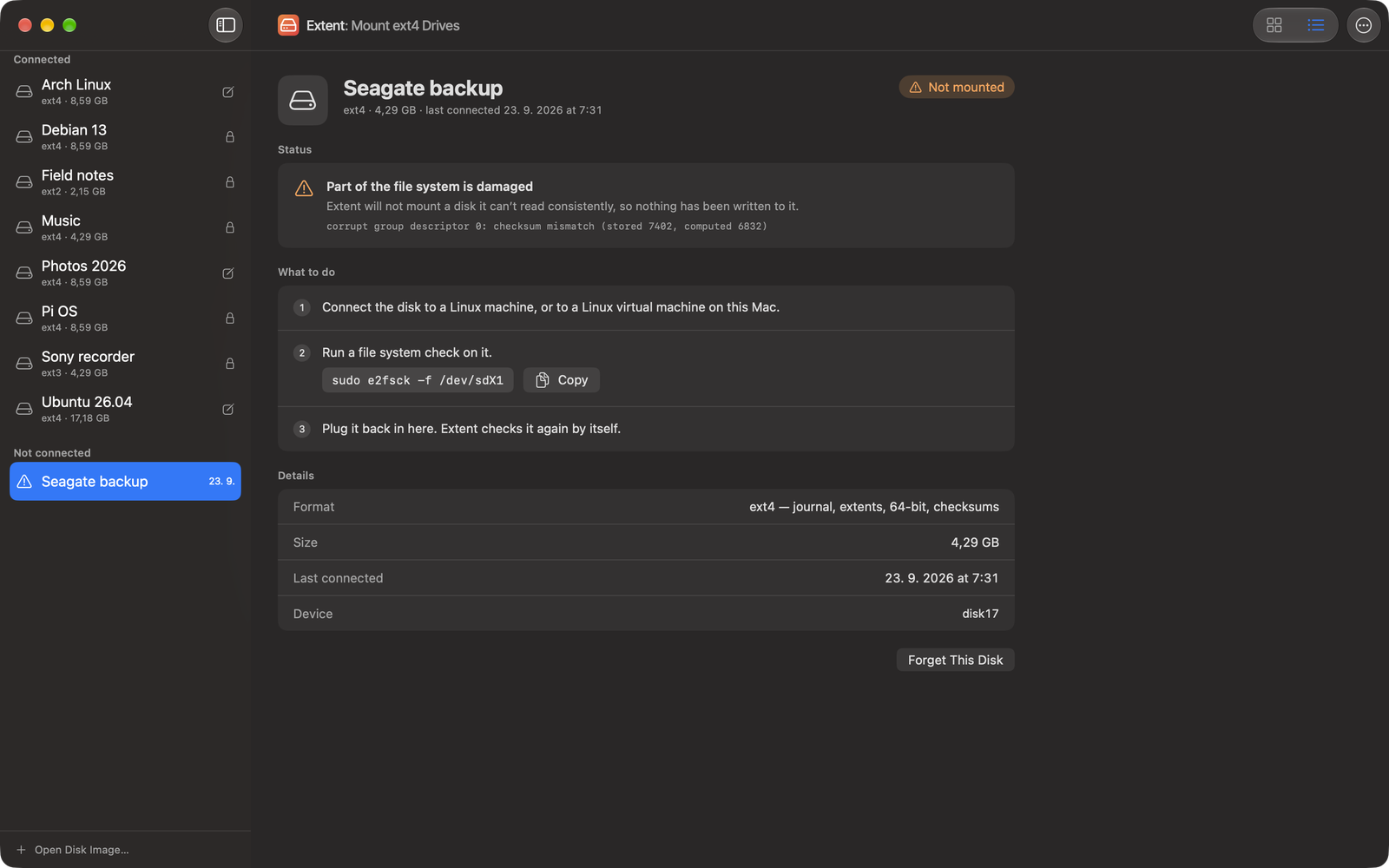
- It doesn't format or repair disks. When a disk needs checking, Extent tells you so and gives you a command to copy and run on Linux.
Where to get it
Extent is on the Mac App Store. Reading is free, with no time limit; writing to ext4 is a one-time purchase of $3.99 – no subscription, no account, and Family Sharing included. Nothing about your disks ever leaves your Mac. No Linux disk at hand? Try the sample disk from Extent's window.
👉 Extent on the Mac App Store · extent.xfanta.com
If you give it a try, tell me in the comments or at apps@xfanta.com what disk you plugged in and whether it mounted – especially if it didn't. Extent will tell you why, and Help › Copy Diagnostics gathers the details you can send me.

Comments
No comments yet. Be the first.