Got a DWG drawing you need to view and print?
PreviewCAD opens DWG and DXF drawings on Mac, iPad and iPhone. Viewing and previews in the Finder, plus printing, export and measuring.

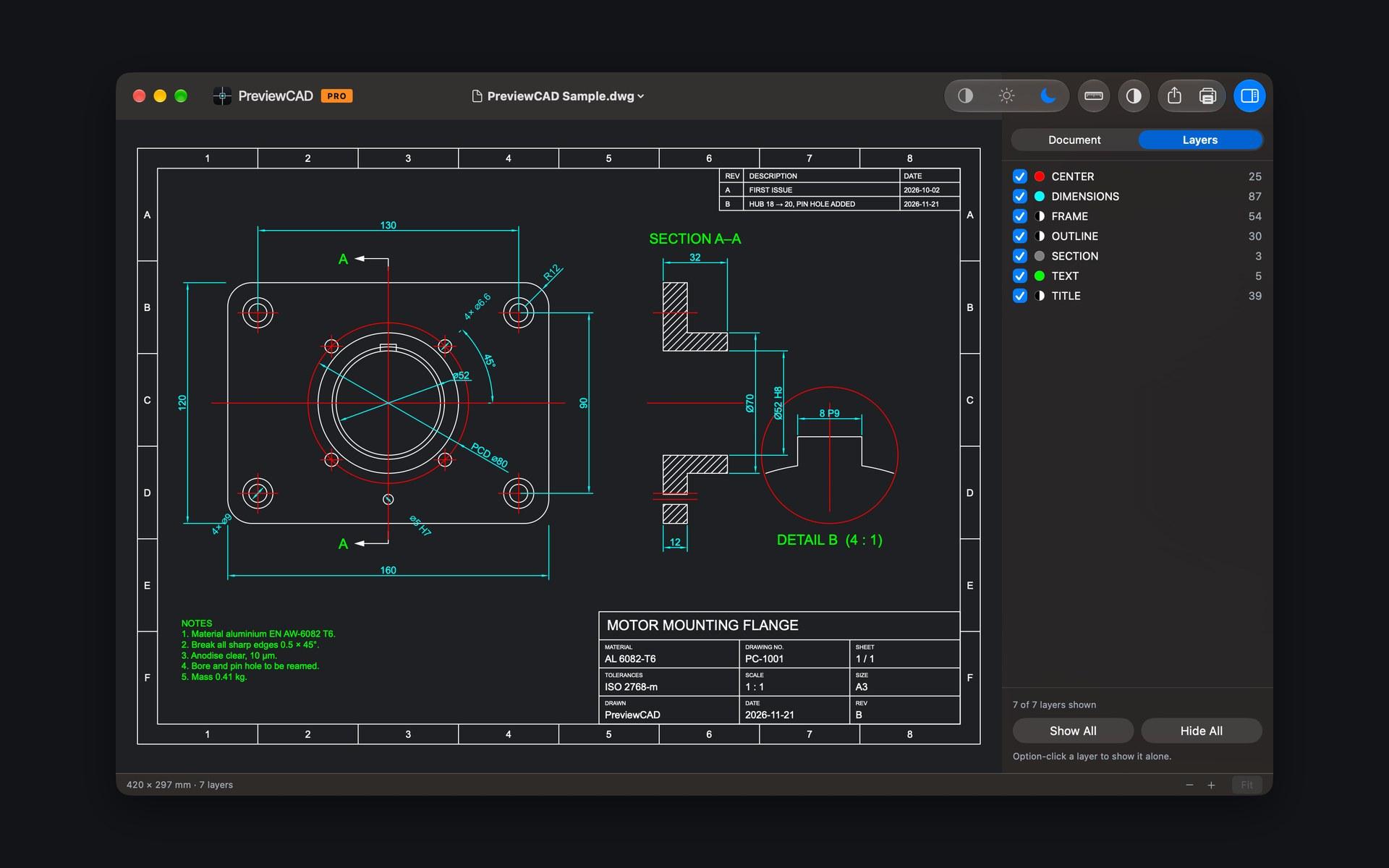
I needed to open an old drawing in DWG format, and I had no app on my Mac that could do it. The Finder showed neither a thumbnail nor a preview.
I spent a while working out how to do it. First I looked at Autodesk, the company behind the DWG format. Its viewers page offers several free ones, but none for the Mac. DWG TrueView runs only on Windows. Autodesk Viewer works in a web browser, but it wants you to sign in with an Autodesk account and upload the drawing. For iPhone and iPad there is the AutoCAD app, which after a 30-day trial asks for an AutoCAD Web subscription at $99.99 a year; without it you are left with limited viewing.
In the end the best answer seemed to be to extend my own family of apps for opening files. Preview3D opens 3D models, PreviewMD opens Markdown and PreviewSVG opens vector graphics. So PreviewCAD joined them: it opens DWG and, of course, DXF as well.
You see the drawing in the Finder
Like the other apps in the family, PreviewCAD starts working before you open a file. DWG and DXF icons in the Finder show what is in the file, and pressing the Space bar shows the drawing in Quick Look. macOS has nothing like this for these formats on its own.
It works much the same on iPad and iPhone. The Files app shows drawing thumbnails, and touching and holding a file gives you a preview.
Layers, layouts and drawing details in the window
When you open a drawing, it gets its own window. It looks the way the CAD program drew it, with dimensions, hatches, blocks and text. You can turn layers off and on, and Option-click shows just one. Tabs at the bottom switch between model space and the individual layouts, just as in AutoCAD.
The Document panel shows which DWG version the file was saved in, the units it was drawn in, its size and everything it contains. You can switch the canvas between light and dark.
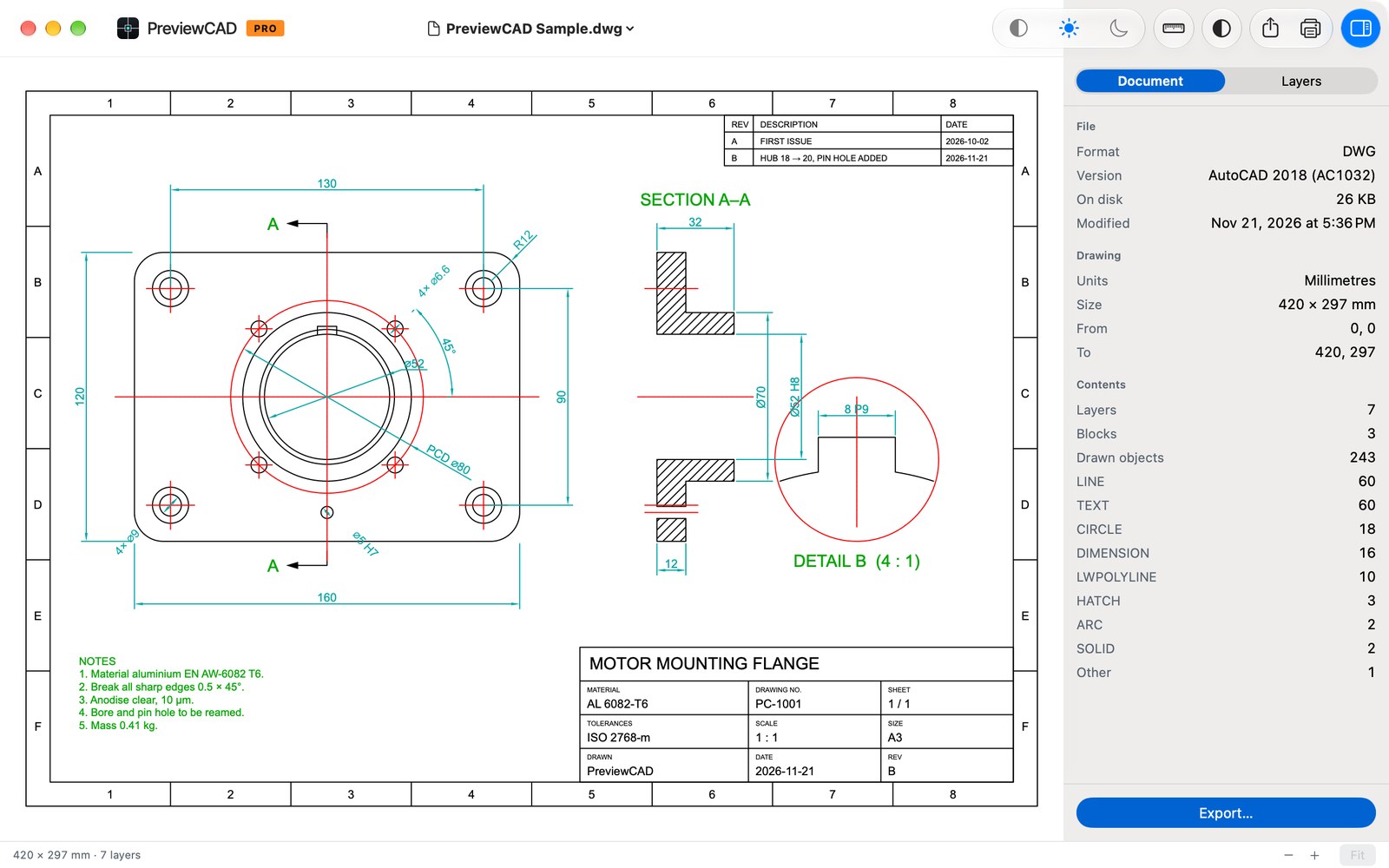
PreviewCAD
A DWG reader of my own
DWG is a closed format owned by Autodesk. There is, however, a public specification from the Open Design Alliance, and I wrote my own reader from it. It handles DWG from version R13 up to the 2018 format, which current versions of AutoCAD still save in.
All reading happens locally on your device. The app does not connect to the internet and does not ask for an account.
Viewing is free, printing and export are in PRO
Everything I described above is free, with no time limit: previews in the Finder and in Files, Quick Look, the drawing window, layers and layouts.
The paid PRO version covers what you do with a drawing next:
- printing fitted to the page or at 1:1 scale, on the Mac across several sheets,
- export to PDF at actual size, to SVG with layers, and to PNG up to 8000 pixels,
- measuring distances, angles and areas, snapping to points in the drawing,
- line weights.
On the Mac you also get a Finder Quick Action that turns a drawing straight into a PDF.
You can try Pro free for 7 days. The trial starts the first time you reach for one of the paid features, not when you install the app. After the trial, if you don't buy PRO, printing and export keep working, just with a watermark.
Pro is a one-time purchase for $14.99, with no subscription. It applies to all your Macs, iPads and iPhones, and Family Sharing works too.
On iPad and iPhone
PreviewCAD is one app for Mac, iPad and iPhone. A drawing that arrives by email or sits in Files opens with a tap. When you measure with your finger, a crosshair appears above it, so you can see exactly where you are pointing.
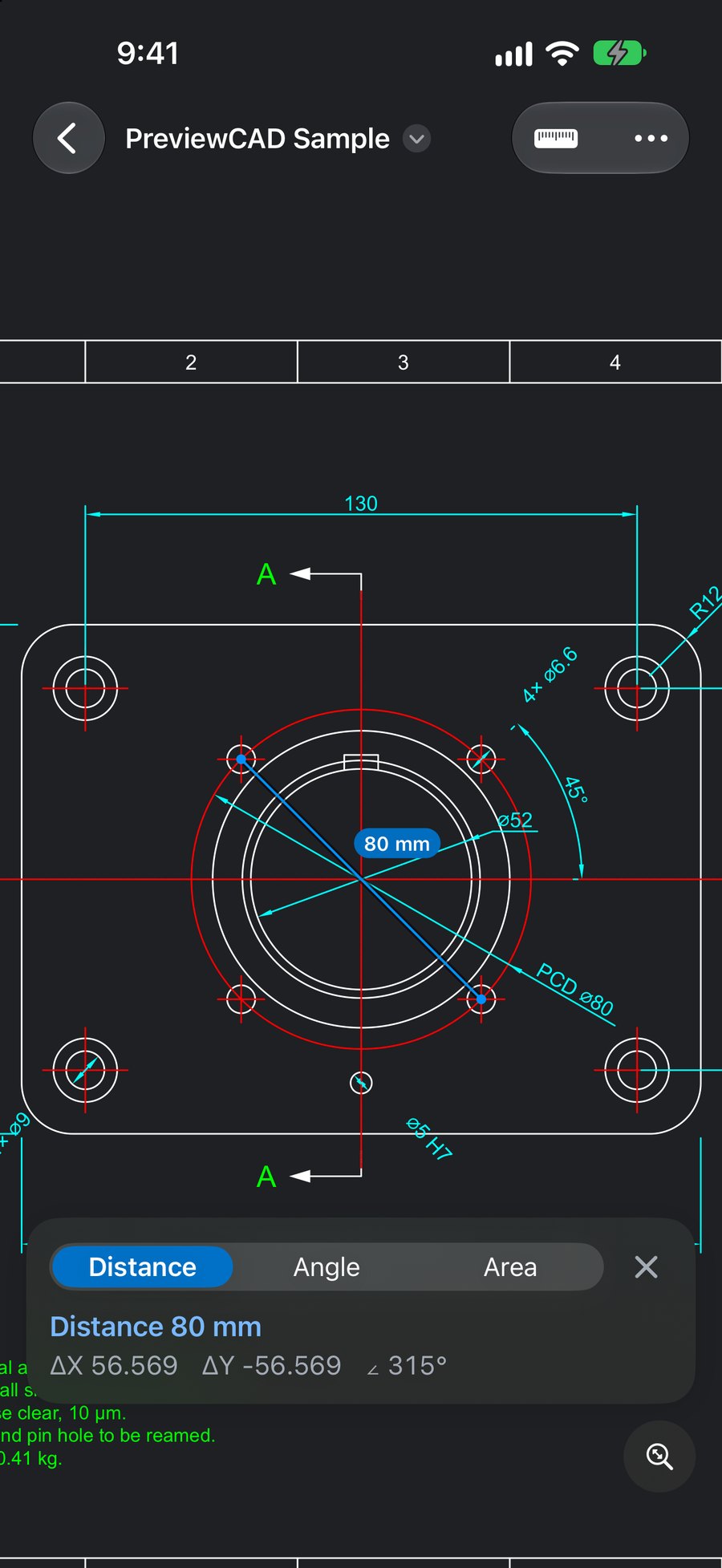
PreviewCAD on iPhone
Things to keep in mind
- It won't open DWG drawings older than R13, from 1994.
- It doesn't draw 3D solids. PreviewCAD is for 2D drawings.
- It is a viewer. You can't edit the drawing and the file never changes, but you can print or export only the layers you choose.
- It needs macOS 14 or later on the Mac, and iOS 18 or later on iPad and iPhone.
Where to get it
PreviewCAD is on the App Store for Mac, iPad and iPhone.
👉 PreviewCAD on the App Store · previewcad.app
If you try it, write to me at apps@xfanta.com. What helps me most is a drawing that didn't open, or that looks different from the program it was made in. A bug is easiest to find with a real file.


Comments
No comments yet. Be the first.