You can watch a disk defragment for hours again
Defragment is a calm toy for iPhone and iPad: squares that tidy themselves up, forever. Free on the App Store.

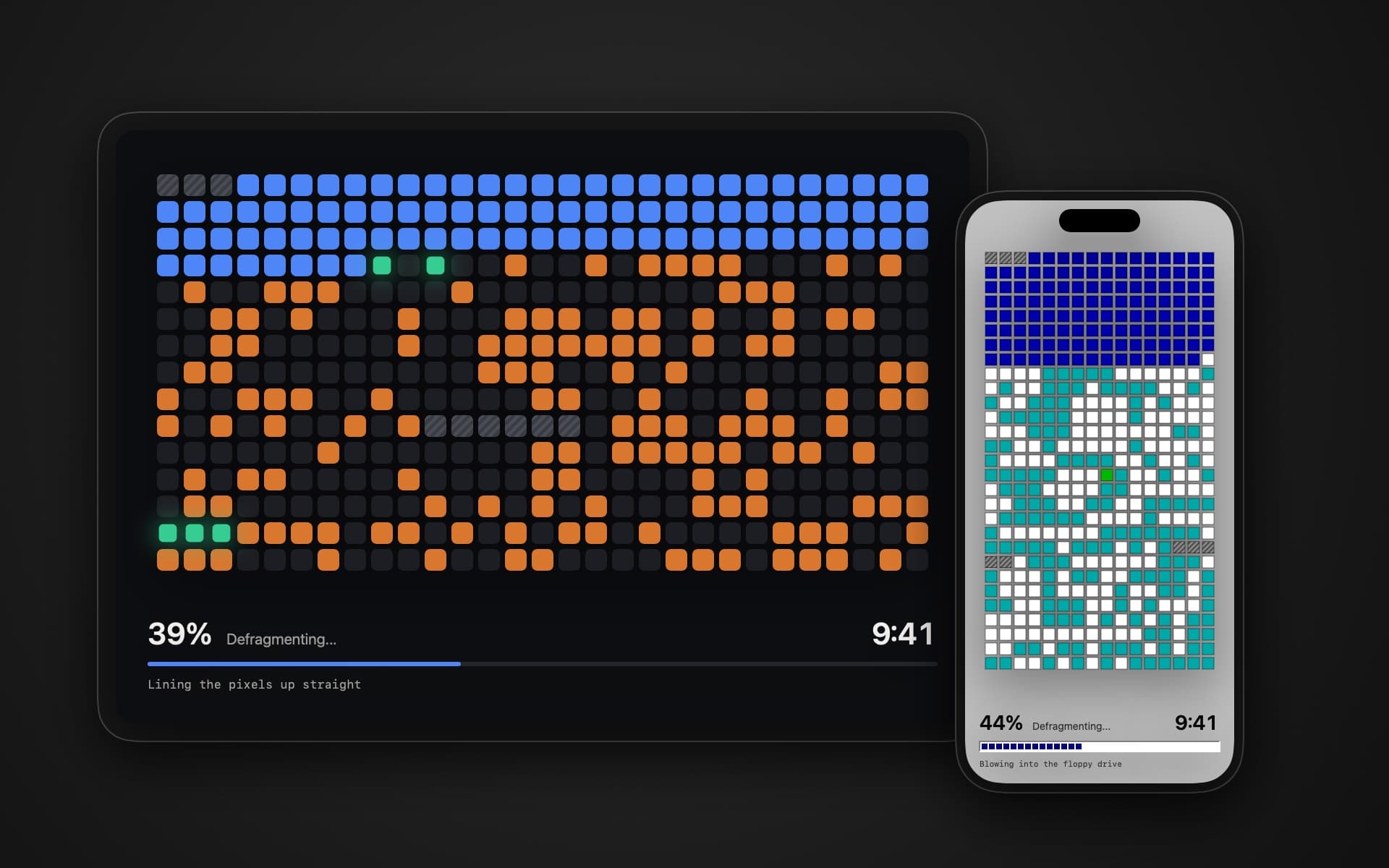
Every so often, Windows 95 and 98 defragmented the disk. A window full of little squares slowly changed colour as the program moved data from the end of the disk to the front. It took ages. And I wasn't the only one who sat and watched it for far longer than anyone needed to.
I wanted that feeling back on my desk: somewhere, quietly, things getting tidied. So I made Defragment, an app for iPhone and iPad that does nothing useful. It just tidies squares. Forever.
Nothing moves, but the rules hold
The disk in the app is pretend. Nothing on your device is read or moved, and an iPhone or iPad doesn't need defragmenting anyway.
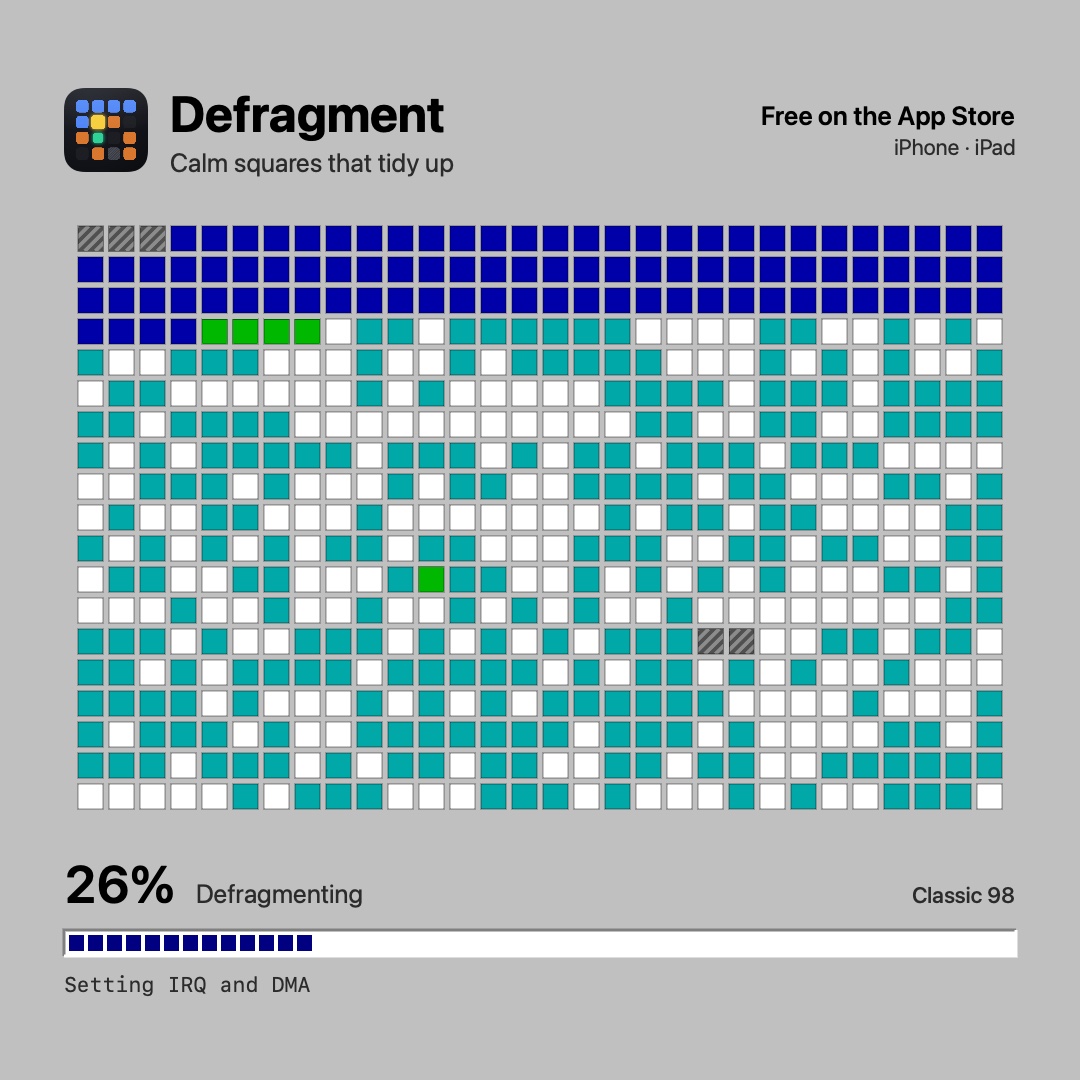
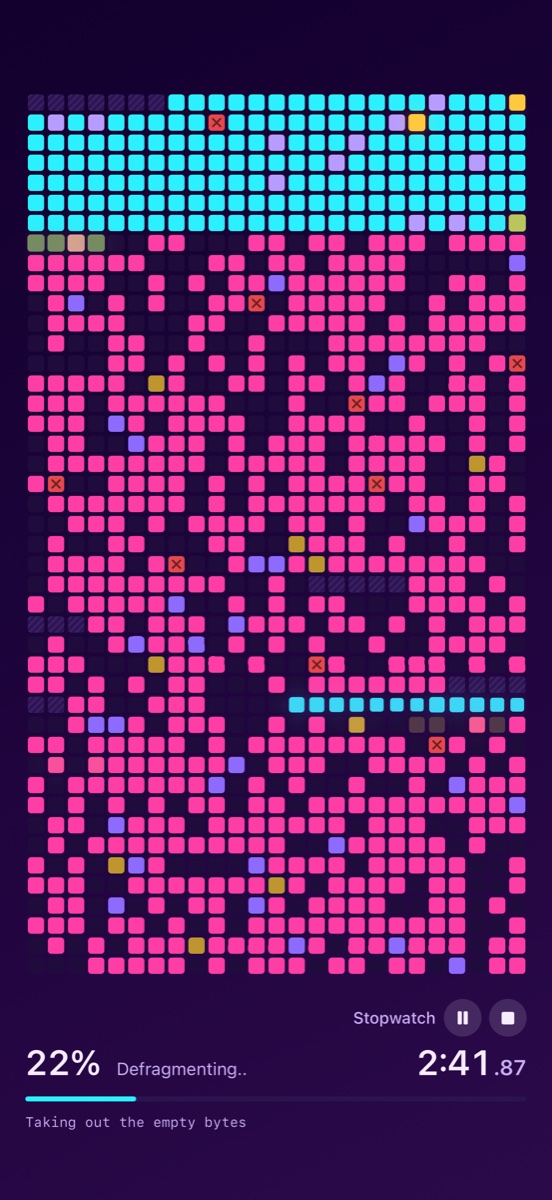
The squares still behave like a real defragmenter. A new disk is analysed row by row first. Then the head reads a few scattered blocks, lights them up, carries them to the front and settles them into a solid row. The place a block came from is left empty. And as many blocks are written as were read.
These details took the most time. The first version only got them half right: a moved block stayed in its old place as well, and one block read could turn into four written. It looked nice, but not right. In an app that exists only to be looked at, the impression is everything, and it falls apart on exactly these small things.
Quips instead of file names
The old defragmenter showed which file it was working on. A list of made-up files could make someone nervous, though, as if the app were touching their data after all. So the status line shows quips instead: "Polishing the camera lens", "Blowing into the floppy drive", "Lining the pixels up straight".
I borrowed the idea from a bike-rental app that said things like "Oiling the chain" while it loaded. There are about 80 quips, and each of the nine languages has its own jokes rather than translations of the English ones. If you'd rather have peace and quiet, switch them off.
Six themes, one of them Classic 98
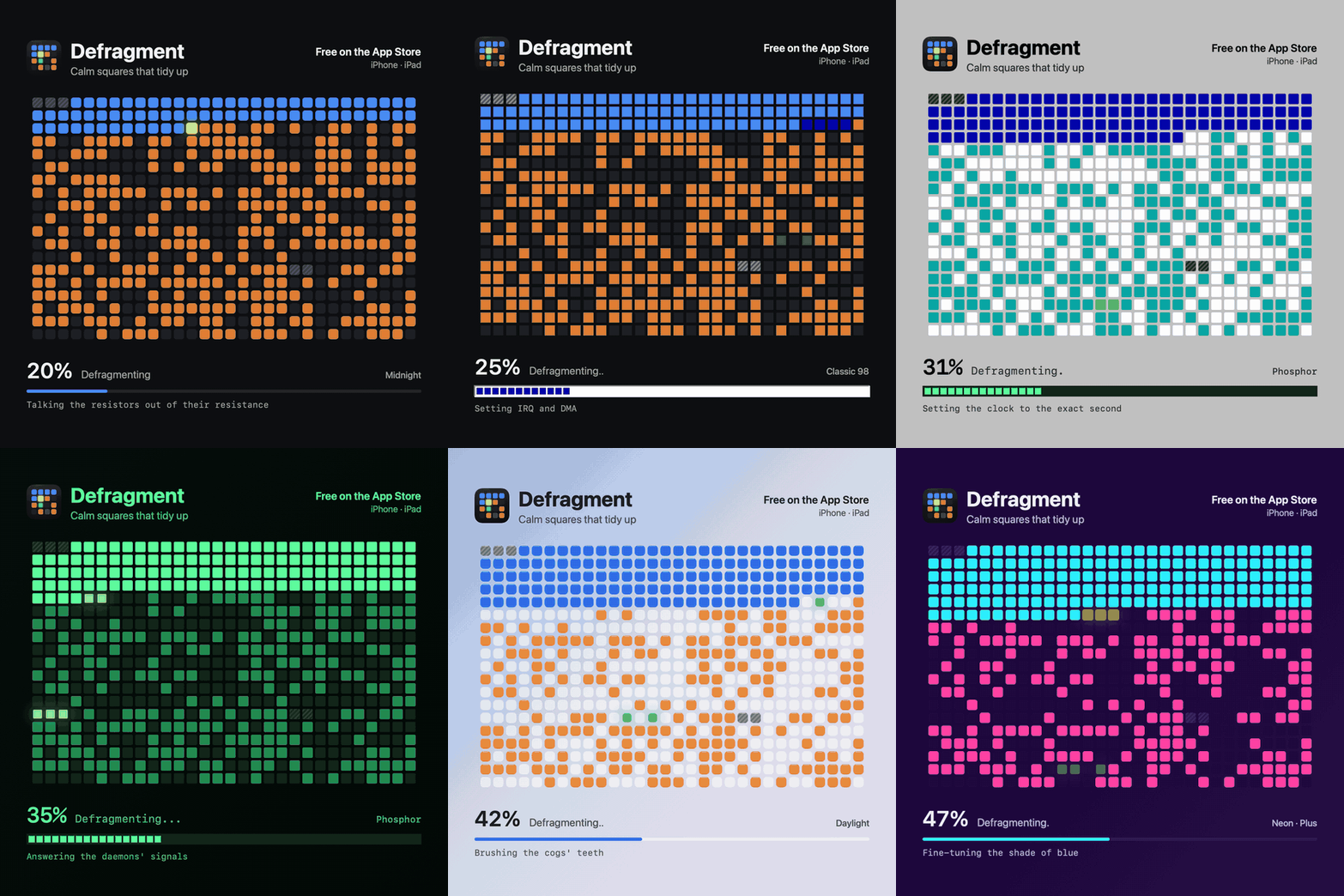
The app has six themes: Midnight, Daylight, Graphite, Phosphor, Amber and Classic 98. That last one is for everyone who really did sit through a defrag: dialog grey, square blocks that change colour instantly and a blocky progress bar.
Then there's endless mode. When the top row is completely tidy, it flashes and disappears, everything moves up a row and a new messy row arrives at the bottom, like a finished line in Tetris. A percentage makes no sense there, so it goes too. You can throw a new mess at the disk any time: shake the device or double-tap the disk.
On iPhone, haptics play along. Every write taps your hand, and the more blocks written at once, the firmer the tap: light for one, firm for five.
It's a timer and a stopwatch too
I wanted Defragment on my desk or bedside table from the start, and there it helps to know the time. So the corner under the disk can show the time and date. The same corner can also be a timer or a stopwatch, so the squares keep tidying while they keep time. You switch right on the disk: tap it and pick the time, the timer, the stopwatch or nothing in the controls.
The timer is set to the second with wheels for hours, minutes and seconds, or with quick buttons for 1, 5, 10, 25, 45 and 60 minutes. Instead of a length you can give it a time of day to count down to, say 5 pm. You choose what happens at the end: the app shows "Time's up!" and buzzes, throws a new mess and starts again, or quietly fades to black and lets the device lock.
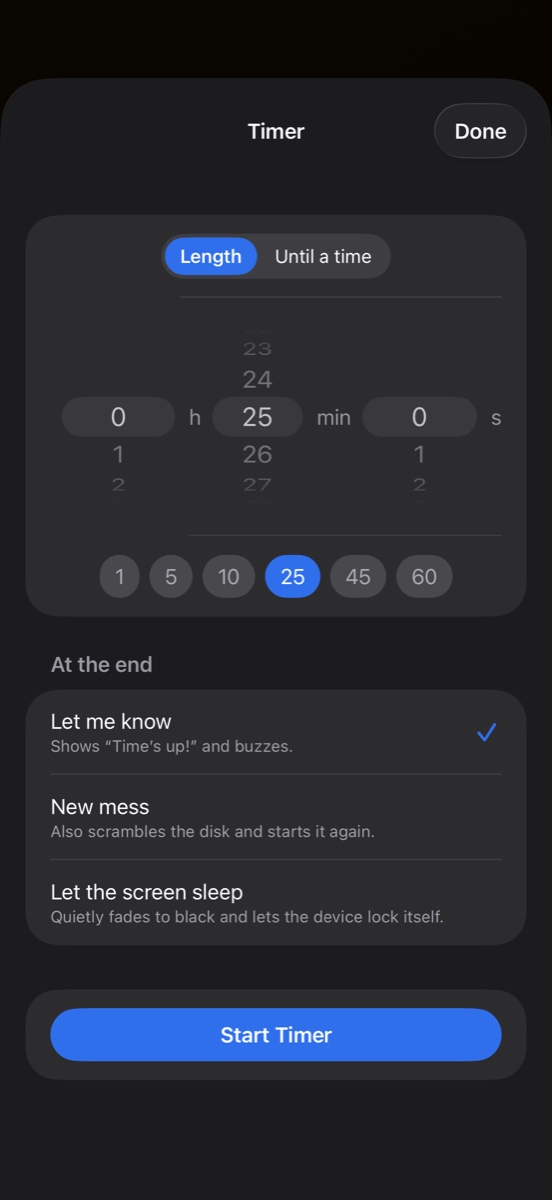
The stopwatch counts hundredths. Next to the numbers are buttons to start, pause, stop and reset, and you can tap the numbers themselves too: a tap starts or pauses, holding them resets.
Both remember the moment they started, so they keep running even when you close the app and show the right time when you come back. The screen stays on while Defragment runs.
Plus for $0.99, and a tip jar
The app is free and complete. If you want more colour, Defragment Plus is a one-time purchase of $0.99, with no subscription and with Family Sharing.
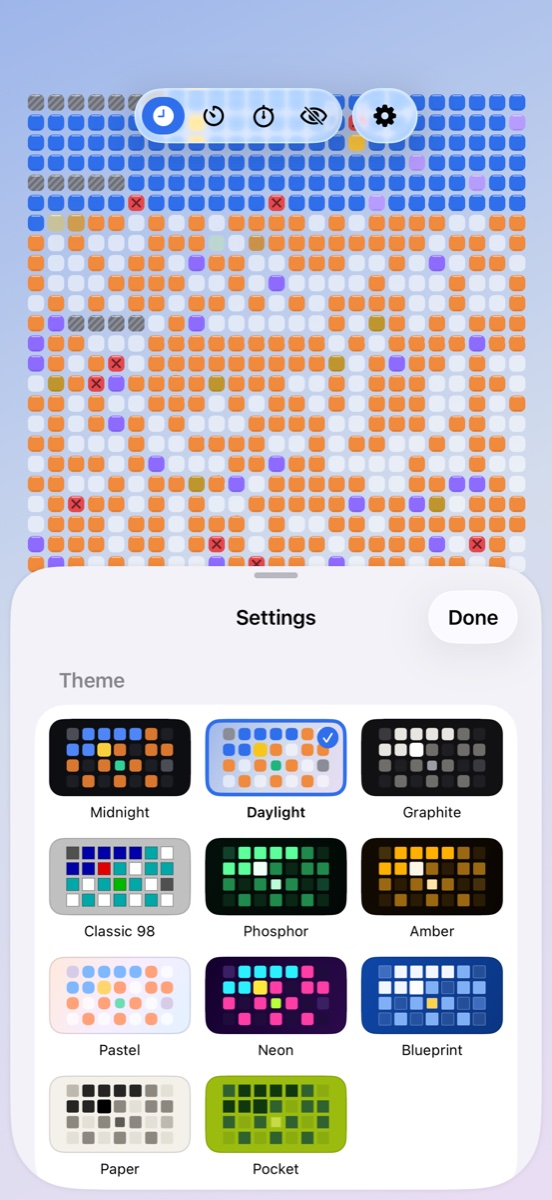
Plus adds special sectors: bad sectors the head steers around, secret golden clusters that sparkle, lost clusters that are found and put back, and a swap file that slowly breathes all day. On top of that come five more themes (Pastel, Neon, Blueprint, Paper and Pocket) and a pack of 30 quips about household chores.
Separately there's a tip jar in three sizes. A tip unlocks nothing; it just says thanks.
A website that changes colour
I deliberately made defragment.xfanta.com different from the sites of my other apps. It's built from the app's themes: switch the theme at the top and the whole page changes with it. A live disk runs on the home page, and further down there's a Windows 98-style dialog, legend included.
While building the site I also went down the history rabbit hole, and it turned into a guide to disk defragmentation. I hadn't known, for instance, that the Windows 95 defragmenter and the DEFRAG command in MS-DOS 6 were written by Symantec, the company behind Norton Utilities. Or that the legend under the disk map ended with "Each box represents one disk cluster."
What's coming in 1.0.1
After watching the finished app for a while, the disk felt too full to me. More empty space gives the head somewhere to put a block, and the tidying is easier to follow. So version 1.0.1 adds a Free space slider in Settings › Motion, from 20 to 70 %, and a new disk starts 40 % empty.
On the Mac, as a screen saver
I wanted Defragment on the Mac from the start, in the place it belongs: as a screen saver. It's done now, and it's a free download from defragment.xfanta.com. It has the six built-in themes, the speeds and square sizes, free space, endless mode, the quips and the clock, and you set it up with the Options… button in System Settings.
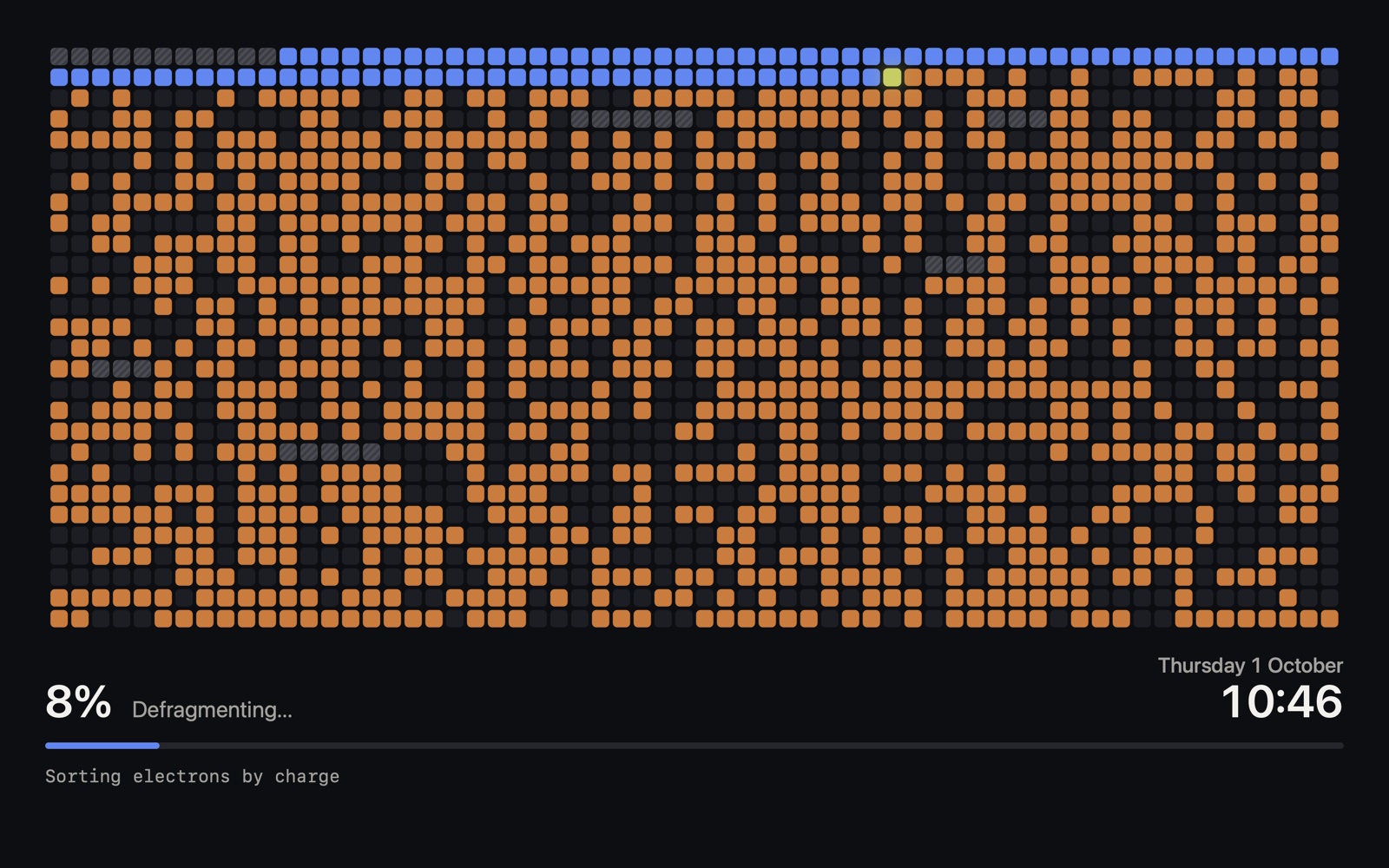
It can't go in the Mac App Store, because Apple doesn't take screen savers there. So it's a download from the website, signed and notarised by Apple, and it installs with a double-click and no warnings. Plus's themes and special sectors stay in the iPhone and iPad app, since a screen saver can't check an App Store purchase.
One thing might catch you out: if the Options window stops opening after you've switched screen savers, quit System Settings and open it again. It's a macOS bug that every third-party screen saver shares.
Defragment in short
Defragment is an ambient toy for iPhone and iPad: a grid of squares that tidies itself up forever, like the Windows 95 and 98 defragmenter. Six themes, three speeds and three square sizes, endless mode, a clock, timer and stopwatch, nine languages. No account, no ads, no data collected, and it works offline. Free, with Plus for $0.99. On the Mac, a free screen saver to download from the website.
👉 Defragment on the App Store · Mac screen saver · defragment.xfanta.com
The app requires iOS or iPadOS 17 or later; the screen saver, macOS 14 or later.
If you give Defragment a go, tell me in the comments below or at apps@xfanta.com which theme is running on your desk and which quip made you laugh. And if there's a memory from 1990s computers that belongs among the quips, send that too.
Comments
No comments yet. Be the first.